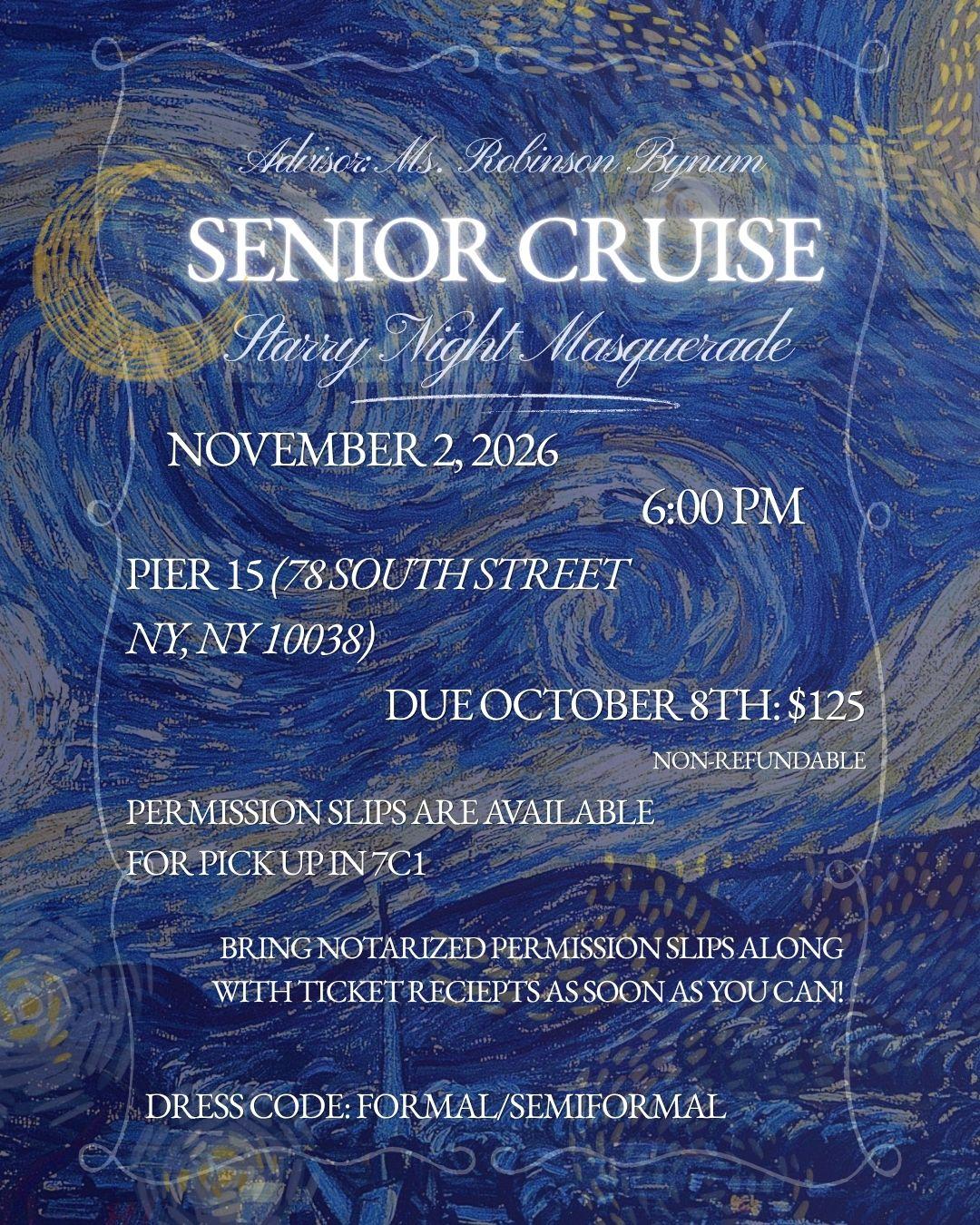
The Senior Class is hosting a Starry Night Masquerade cruise on November 2, 2026. The event is at Pier 15 in New York. The cost is $125 if paid by October 8th. Permission slips and ticket receipts are required.
Ryba is showing the details supported by the announcement; applicability or other details may need checking.
Does this apply to your student?
Your answer only personalizes your student's view. It doesn't change the school announcement. Yes or No adjusts how this item appears; Not sure keeps it as shown.
Why this matters
School information; applicability may need checking.
Seniors: Pay in the SGO store! · email-a2b1e668ce66-b127
Online payments are available today
Online payments are available today · email-a2b1e668ce66-b128
Link to Senior Cruise Online
Online payments are available today · email-a2b1e668ce66-b129
Cruise Permission Slip Page 1
Online payments are available today · email-a2b1e668ce66-b130
Cruise Permission Slip Page 2
Online payments are available today · email-a2b1e668ce66-b131
You need BOTH pages
Online payments are available today · email-a2b1e668ce66-b132
Visible image transcription:
Advisor: Ms. Robinson Bynum
SENIOR CRUISE
Starry Night Masquerade
NOVEMBER 2, 2026
6:00 PM
PIER 15 (78 SOUTH STREET
NY, NY 10038)
DUE OCTOBER 8TH: $125
NON-REFUNDABLE
PERMISSION SLIPS ARE AVAILABLE
FOR PICK UP IN 7C1
BRING NOTARIZED PERMISSION SLIPS ALONG
WITH TICKET RECIEPTS AS SOON AS YOU CAN!
DRESS CODE: FORMAL/SEMI-FORMAL
Online payments are available today · image:email-image-40
Something wrong?
This reports a problem with how Ryba is showing this item. It won't change the school announcement or what another family sees.
Help
A quick guide for your family.
What is Ryba?
Ryba helps families keep up with school information in one place.
Timeline shows what is happening and when. Briefing highlights things that may need your attention. News collects stories from school newsletters.
Start here for school events, deadlines, and other dated information. The first section shows four weeks. Later shows things farther away. Weekends and days without school have a different color. It shows information for your student's grade; things meant only for other grades are left out. Search finds everything.
The dot beside each item tells you what kind it is:
Something to do by a date, like a form, payment or sign-up
An event to know about or attend
On the date line, the glowing dot marks today
A group of related items shows the "something to do" dot if anything in it has a deadline.
A shorter view of what may need attention now. It uses your student's grade and interests. It does not list everything.
Use Search to find information beyond the four weeks shown in Timeline.
News
Stories from school newsletters and announcements: results, awards, profiles and recaps of past events. There is nothing to do or attend, so they are kept off Timeline and Briefing.
Stories are grouped by the day the school sent them, newest first, for the last two months. The first story of each day is shown larger.
All shows every grade. Pick a grade to see only its stories; stories for the whole school appear under every grade.
Ryba decides which items are stories. If something you expected is missing from Timeline, Search still finds it in the school's email.
Related announcements may appear under one heading. Tap the heading to see the details, including dates, places, what you need to do, and where the information came from.
Sometimes two announcements look alike but stay separate because Ryba cannot be sure they mean the same thing.
Ryba shows dates, times, rooms, and places when it can find them in the school information. If a detail is missing or needs checking, open Sources before making plans.
PA means the information came from or is supported by the Parent Association.
Daily Announcements
Tap the updated date near Brooklyn Tech to open the latest Daily Announcements, when available. Use Previous and Next to see earlier days.
Add a student's name, grade, graduation year, and interests. Grade helps show information for that student. Interests help bring useful opportunities forward; they do not hide schoolwide news.
Use Manage students to edit a student, add another, or switch students.
Hide something
If something is not useful to your family, you can hide it. This only changes what you see. It does not change the school's information for anyone else.
You can restore hidden items from Manage students. Your student setup and hidden items are saved in this browser, so another device will not automatically have them.
Notifications
Notifications are optional. Choose Important only to hear about things that may need attention, or All updates to hear more news. You can change this from the account menu.
Check the original
Open Sources to see where the information came from. Check the original school message when a detail matters or needs checking.
Live updates
New or changed school information may appear while Ryba is open, without a reload.
NewChanged
Ryba helps you follow school news. For important details, check the original school message.